



Black Friday can create a major opportunity for dropshipping businesses, but more traffic does not automatically mean more profit. If suppliers run out of stock, shipping times increase, or orders fail to sync correctly, a successful advertising campaign can quickly turn into a customer service problem. This is why fulfillment readiness should be part of your Black Friday strategy before you increase your advertising budget.
In 2026, Black Friday falls on November 27, followed by Cyber Monday on November 30. For dropshippers, these dates create a concentrated period of demand when suppliers, shipping providers, payment systems, and customer support processes may all face additional pressure.
Before scaling your campaigns, use this Black Friday dropshipping fulfillment checklist to identify potential bottlenecks, protect your margins, and make sure your business can handle an increase in orders.
If you are reviewing your fulfillment setup, explore Ship To The Moon’s dropshipping services to learn about its sourcing, order fulfillment, and global shipping solutions.
Confirm Supplier Reliability and Fulfillment Capacity
Your supplier plays a central role in the customer experience. Even if your store and advertisements perform well, unreliable supplier operations can lead to delayed orders, cancellations, and negative reviews. Before Black Friday, confirm that your suppliers can handle your expected order volume.
Questions to ask your suppliers
- Order processing capacity: How many orders can you process per day during peak periods?
- Processing time: How long will it take to prepare orders after payment?
- Holiday operating schedule: Will your warehouse or support team operate during Black Friday, the weekend, and Cyber Monday?
- Product availability: Can you reserve inventory or provide frequent stock updates for your best-selling products?
- Shipping arrangements: Which carriers and shipping methods will be available during the holiday season?
- Backup arrangements: What happens if a product becomes unavailable or a warehouse experiences delays?
Do not rely only on a supplier’s standard delivery estimates. Ask for peak-season expectations and confirm whether those estimates include processing time.
If possible, place test orders with your primary suppliers before increasing ad spend. Check the time between placing an order, receiving tracking information, and seeing the first carrier scan.
Prepare a backup supplier
For products that generate a significant share of your sales, identify an alternative supplier whenever possible. Compare product specifications, quality, shipping costs, delivery estimates, and return policies before switching. A backup supplier is only useful if the alternative product meets your quality standards and can be delivered to the same target market.
Do not aggressively scale a product if its supplier cannot explain how orders will be processed during peak demand.
Verify Inventory and Product Availability
One of the most frustrating Black Friday scenarios is paying to acquire customers for products that are already out of stock. Dropshipping does not eliminate inventory risk. It shifts much of the inventory management responsibility to suppliers, which means you need a reliable way to monitor availability.
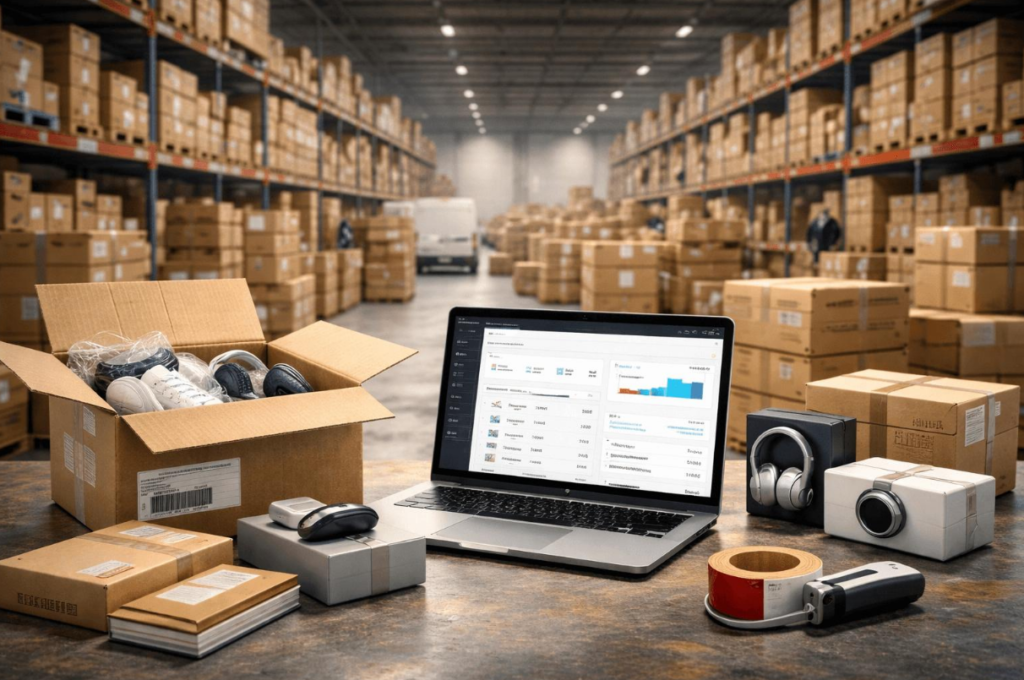
Check your best-selling SKUs first
Review recent sales, advertising performance, and product demand to identify the items most likely to receive additional orders.
For each priority product, confirm:
- Current supplier inventory and available variants.
- Stock availability for different sizes, colors, or models.
- How frequently inventory information is updated.
- Whether the supplier has other pending orders competing for the same stock.
- Whether product prices or minimum order requirements have changed.
- How quickly your store will reflect a stockout.
Pay particular attention to products featured in your Black Friday advertisements. A product may be available when you launch a campaign but unavailable several hours later.
Set inventory alerts and spending limits
If your supplier or automation platform supports inventory monitoring, configure alerts for low stock, price changes, and unavailable products. For stores using Shopify, Ship To The Moon’s Shopify dropshipping integration supports inventory synchronization between the connected store and the platform. Before the sale, confirm that your connection is active and test how stock changes appear in your own store.
You can also define a simple internal rule: if a product’s available inventory falls below your expected demand for the next monitoring period, stop increasing its budget until availability is confirmed. Avoid treating a supplier’s displayed stock quantity as a guaranteed allocation unless the supplier explicitly confirms that the inventory is reserved for your orders.
Create a priority SKU list and review it daily during the final preparation period. Increase monitoring frequency for products experiencing a rapid rise in sales.
Validate Shipping Times and Delivery Promises
Shipping delays are especially damaging during the holiday shopping season because customers may be buying gifts for specific dates. A product that arrives after the intended occasion can generate refund requests even if the package is eventually delivered.
Before launching or scaling Black Friday ads, distinguish between processing time, transit time, and total delivery time.
- Processing time: The time required to prepare and dispatch an order.
- Transit time: The time the carrier needs to transport the package after receiving it.
- Total delivery time: The complete period from order placement to delivery, including processing and transportation.
Check shipping performance by destination
Review the shipping methods available for each target market. Confirm whether the quoted delivery estimates vary by destination, warehouse, product variant, or carrier. Also check whether the supplier provides valid tracking numbers and whether tracking information is uploaded to your store automatically. If you sell internationally, account for customs clearance, applicable duties and taxes, and potential border delays. Make sure your shipping cost calculations reflect the actual delivery arrangement.
You can review Ship To The Moon’s global warehouse for dropshipping to understand its warehousing and shipping services. However, always confirm the warehouse, shipping method, processing time, and estimated delivery window for the specific products and destinations you intend to sell to.
Update your store’s shipping information
Your product pages and shipping policy should communicate realistic delivery estimates. If peak-season delays are possible, explain them clearly before checkout. Avoid promising guaranteed delivery dates unless your fulfillment arrangements genuinely support that promise.
For U.S. holiday shipments, check the latest USPS holiday shipping dates and the relevant carrier’s official guidance. Carrier deadlines are not the same as your store’s order cutoff: you must also allow time for supplier processing and package handoff.
Recalculate your customer-facing delivery estimates using realistic processing times, transit times, and a peak-season buffer.
Calculate Your True Fulfillment Costs Before Scaling
A product can generate strong sales and still lose money if discounts, advertising costs, shipping charges, and returns consume its contribution margin.
Black Friday often creates additional pressure because customers expect attractive offers while advertising competition can increase acquisition costs. Before scaling, calculate how much each order contributes after variable expenses.
Use a complete cost breakdown
Include the following costs in your calculations:
- Product cost charged by the supplier.
- Shipping and fulfillment fees.
- Applicable duties, taxes, and import-related charges.
- Payment processing fees.
- Discounts and promotional costs.
- Advertising cost per acquired customer.
- Expected refunds, replacements, and chargebacks.
Your actual costs will depend on the product, supplier, shipping route, selling market, and business model. Do not assume that a product with a large difference between its selling price and supplier price is automatically profitable.
Example: Calculate contribution profit
Consider a hypothetical product sold for $50.
| Item | Amount |
| Selling price after discount | $50.00 |
| Product cost | $18.00 |
| Shipping and fulfillment | $7.00 |
| Payment fees and other variable costs | $3.00 |
| Returns and refund allowance | $2.00 |
| Advertising cost per order | $12.00 |
| Estimated contribution profit | $8.00 |
In this example, the business retains $8 per order before fixed overhead and any expenses not included above. If shipping costs rise, the supplier increases prices, or advertising becomes more expensive, that contribution can shrink quickly.
Use your own actual figures rather than treating this example as a forecast.
Define your break-even advertising threshold
A useful starting point is to calculate your break-even return on ad spend (ROAS):
Break-even ROAS = Revenue per order ÷ Contribution before advertising
Using the example above, contribution before advertising is $20:
$50 ÷ $20 = 2.5 break-even ROAS.
This means an advertising return of 2.5 would cover the listed variable costs in this simplified example, but it would not necessarily cover fixed overhead or produce a profit. Your own break-even ROAS will differ depending on your costs and margins.
Set a minimum acceptable contribution profit and a break-even ROAS for each priority product before increasing its advertising budget.
Test Your Complete Order Processing Workflow
Automation can reduce manual work, but it does not guarantee that every part of your fulfillment process is working correctly. An integration error can leave an order unpaid in the supplier system, prevent a shipping address from transferring correctly, or delay tracking information from reaching the customer.
Before Black Friday, test the entire order lifecycle.
Run a test order from start to finish
- A customer can place an order and complete payment.
- The order appears correctly in your ecommerce platform.
- The order and customer details sync to the appropriate fulfillment system.
- The supplier receives the correct product variant, quantity, and shipping address.
- The supplier can process the order without manual intervention, if automation is enabled.
- Tracking information is generated and synchronized correctly.
- The customer receives the appropriate order and shipping notifications.
- The order status updates as the package moves through the delivery process.
Test both successful and unsuccessful scenarios where practical. For example, check how your system handles an unavailable variant, a payment failure, or a missing tracking number.
Review automation settings
If you use a dropshipping automation platform, verify that product costs, stock monitoring, shipping methods, and order processing rules are configured correctly. Do not assume that every supplier supports the same automation features. Confirm the supported suppliers, fulfillment methods, and any required manual steps. For example, AutoDS provides product and order automation features, but sellers should still verify supplier compatibility and their individual settings. You can review its supplier and listing settings guidance.
Complete at least one end-to-end test for every major fulfillment workflow before launching your largest campaigns.
Prepare for Returns, Refunds, and Customer Support
A fulfillment plan should cover what happens when something goes wrong, not just how to process successful orders. During Black Friday and Cyber Monday, an increase in orders can lead to more delivery questions, cancellation requests, damaged-item reports, and refund inquiries. Without a clear process, these requests can overwhelm a small team.
Confirm your policies before the sale
Review your store’s policies and make sure they match your supplier’s actual capabilities. Do not promise customers a refund or replacement timeline that your team cannot reasonably meet. Make sure your published policy complies with the laws applicable to your business and customers.
- Which products can be returned or replaced.
- The time limits and conditions for requesting a refund.
- Who pays return shipping when applicable.
- How damaged, defective, or missing items are handled.
- What happens when a parcel is lost or tracking stops updating.
- Whether cancellations are possible after an order has been sent to the supplier.
Build a customer support workflow
Prepare response templates for common questions, including:
- “Where is my order?”
- “Why hasn’t my order shipped?”
- “Can I change my shipping address?”
- “My product arrived damaged. What should I do?”
- “Can I cancel or return my order?”
Set clear ownership for each issue. For example, your support team may handle tracking questions, while supplier-related problems are escalated to a fulfillment contact. Track the number of unresolved tickets and the time required to respond. A growing backlog can be an early sign that your fulfillment operation is struggling.
Prepare support templates, escalation procedures, and a clear refund or replacement process before order volume increases.
Stress-Test Your Store Before Increasing Ad Spend
Fulfillment readiness also depends on whether your store can reliably accept and record orders when traffic increases. A successful advertisement is wasted if customers cannot complete checkout or if orders fail to reach your fulfillment system.
Test the customer journey
- Mobile page speed and product page usability.
- Product variants, pricing, discounts, and promotional codes.
- Shipping rates and delivery information at checkout.
- Payment methods and payment confirmation.
- Inventory updates after a purchase.
- Order confirmation emails and notifications.
- Integration between your store and fulfillment tools.
Test the complete process on both desktop and mobile. If possible, use a low-value test order or a supported test-payment mode, and follow your platform’s instructions to avoid creating unintended charges or supplier orders.
Check your monitoring and alerts
Before launching your Black Friday campaigns, make sure the relevant team members can access the information needed to diagnose problems.
Useful monitoring signals include:
- Checkout conversion rate.
- Payment failure rate.
- Orders waiting for fulfillment.
- Orders without tracking information.
- Stockout frequency.
- Supplier processing time.
- Customer support backlog.
Establish a baseline before the campaign begins. This makes it easier to identify unusual changes when traffic rises.
Fix any unresolved checkout, payment, inventory-sync, or order-routing issue before treating the store as ready for aggressive scaling.
Set Clear Rules for Scaling or Pausing Ads
Increasing advertising spend should be a controlled decision based on both marketing performance and fulfillment capacity.
A campaign may show an attractive ROAS while your supplier is already falling behind. If you focus only on advertising metrics, you may generate more orders than your operation can process.
Stage 1: Verify readiness
Before increasing spend, confirm that:
- Priority products are available.
- Supplier processing times are acceptable.
- Shipping estimates are realistic.
- Test orders have passed.
- Contribution margins meet your minimum requirements.
- Customer support and exception handling are ready.
If a critical requirement fails, fix it before increasing spend.
Stage 2: Scale gradually and monitor results
Increase budgets in controlled steps that fit your business’s cash flow, campaign performance, and confirmed supplier capacity. There is no universally correct percentage for every store. A product with stable inventory and reliable fulfillment may support more growth than one with limited stock or inconsistent processing times.
During each increase, monitor:
- Orders received compared with supplier capacity.
- Percentage of orders processed within your target time.
- Percentage of orders receiving tracking information within your target time.
- Stock availability and supplier price changes.
- Contribution profit and advertising performance.
- Customer complaints and unresolved support tickets.
Stage 3: Pause or reduce spend when fulfillment deteriorates
Define warning conditions before the sale begins.
Examples include:
- A supplier confirms a stockout with no reliable replacement.
- Order processing exceeds your acceptable limit.
- Tracking information is consistently delayed.
- The actual delivery estimate no longer matches the promise on your store.
- Contribution profit falls below your minimum.
- Customer complaints or unresolved tickets rise sharply.
When a critical issue occurs, reduce or pause the affected product’s ads, investigate the cause, and update product availability or shipping information where necessary. You do not always need to stop every campaign. If the issue affects only one product or supplier, isolate the affected campaigns where possible and continue advertising products that remain operationally healthy.
Create written scaling and pause rules so advertising decisions are not based on sales volume alone.
Build a Black Friday Checklist
Supplier readiness
Inventory readiness
Shipping readiness
Financial readiness
Store and order workflow readiness
Customer support readiness
Advertising readiness
Black Friday dropshipping is not just about finding winning products and increasing advertising budgets. It also requires a fulfillment operation that can handle higher order volume without sacrificing delivery expectations, customer experience, or profitability.
Before scaling ads, confirm supplier capacity, verify inventory, validate shipping times, calculate your true costs, test order processing, and prepare for customer support issues. Then increase spend gradually while monitoring fulfillment performance alongside advertising metrics. The goal is not simply to generate more Black Friday orders. It is to fulfill those orders reliably and profitably.
For sellers who want to streamline store operations, Ship To The Moon offers dropshipping fulfillment services and integrations designed to connect store orders, inventory, and tracking workflows. Review the available options and confirm that the relevant services meet your products’ and target markets’ requirements before your campaign begins.
FAQ
How early should dropshippers prepare for Black Friday?
Start supplier checks, product testing, and fulfillment planning several weeks or months ahead when possible. Use the weeks before Black Friday to confirm stock, test order workflows, update shipping estimates, and resolve integration problems. The exact timeline depends on supplier lead times and your product categories.
Should I scale ads before confirming supplier inventory?
It is safer to verify stock availability and supplier capacity before significantly increasing ad spend. If inventory data is unreliable or a supplier cannot confirm fulfillment capacity, keep spending controlled until the risk is resolved.
What is the biggest fulfillment risk during Black Friday dropshipping?
There is no single risk for every business, but common problems include stockouts, longer processing times, shipping delays, inaccurate tracking, and insufficient customer support. These issues can lead to cancellations, refunds, poor reviews, and reduced profit.
How can I reduce Black Friday dropshipping shipping delays?
Choose suppliers with reliable processing times, test orders in advance, monitor inventory, use suitable shipping methods, and publish realistic delivery estimates. Build a buffer into your planning and communicate proactively when delays occur.
How do I know whether my dropshipping business is ready to scale?
Your business is in a stronger position to scale when suppliers can support the expected order volume, priority products are available, end-to-end order processing works, delivery promises are realistic, and contribution margins remain acceptable. Continue monitoring these conditions as ad spend increases.
Can fulfillment automation prevent all Black Friday order problems?
No. Automation can reduce repetitive work and help synchronize inventory, orders, and tracking information, depending on the tools and integrations you use. However, it cannot guarantee supplier stock, eliminate carrier delays, or resolve every exception automatically. Monitor the system and maintain a process for handling failed or delayed orders.